Home › Features › Online Payments
Collect society maintenance online — by UPI, card or net banking
Residents open their bill and pay through Razorpay using UPI, cards or net banking. The bill updates instantly, the receipt is emailed, and the treasurer never has to chase a screenshot again.
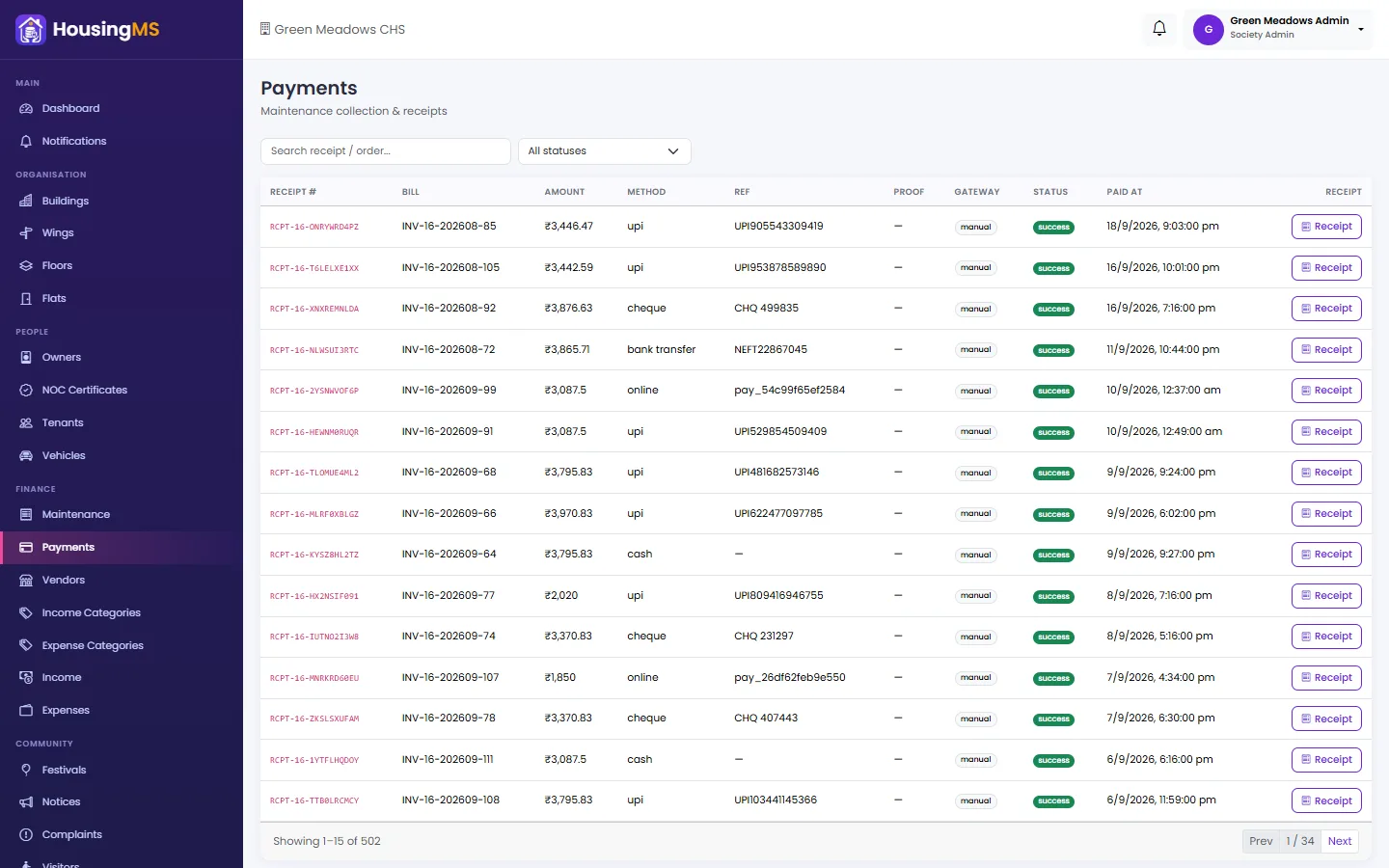
Payments made outside the app — cash, cheque, a direct UPI or bank transfer — are recorded in the same register with the reference number and a photo of the proof, so the books always match.
What you get
- UPI, cards & net banking: Secure Razorpay checkout from the web or the resident’s Android app.
- Part payments: Residents can pay part of a bill; the balance stays due and shows on their ledger.
- Notes on every payment: Add a note such as “paid by tenant” — it appears on the receipt and the ledger.
- Automatic receipts: A receipt is emailed after every payment and can be downloaded as PDF any time.
- Cash & cheque too: Record offline payments with the UTR or cheque number and a screenshot.
- Refunds tracked: Refunds are recorded against the payment so collection totals stay correct.
How it works
- The resident opens My Bills in the app and taps Pay.
- They choose the full amount or a part, add an optional note and pay by UPI, card or net banking.
- The bill, ledger and dashboard update instantly and a receipt is emailed.
Questions about online payments
Which payment methods can residents use?
UPI, debit and credit cards, net banking and wallets through Razorpay. The committee can also record cash, cheque, direct UPI and bank transfers.
Can a resident pay only part of the maintenance bill?
Yes. They choose how much to pay; the rest remains due on the bill and on their ledger.
Does the money come to the society’s bank account?
Connect your society’s own Razorpay account and payments settle directly to the society’s bank account. Every payment is matched to the right flat and bill automatically.
Do residents get a receipt?
Yes. A receipt with the society’s details is emailed after every payment and can be downloaded again from the app.
Related features
Pricing: ₹22 per flat per month, billed annually (₹264 per flat per year) + 18% GST. All features included, 10 free set-up days. Register and pay online.