Home › Features › Accounts & Reports
Society accounting software your auditor will like
Every maintenance payment, income and expense lands in the society’s books automatically. Expenses go through committee approval before they are booked, and vendor payments stay linked to the vendor.
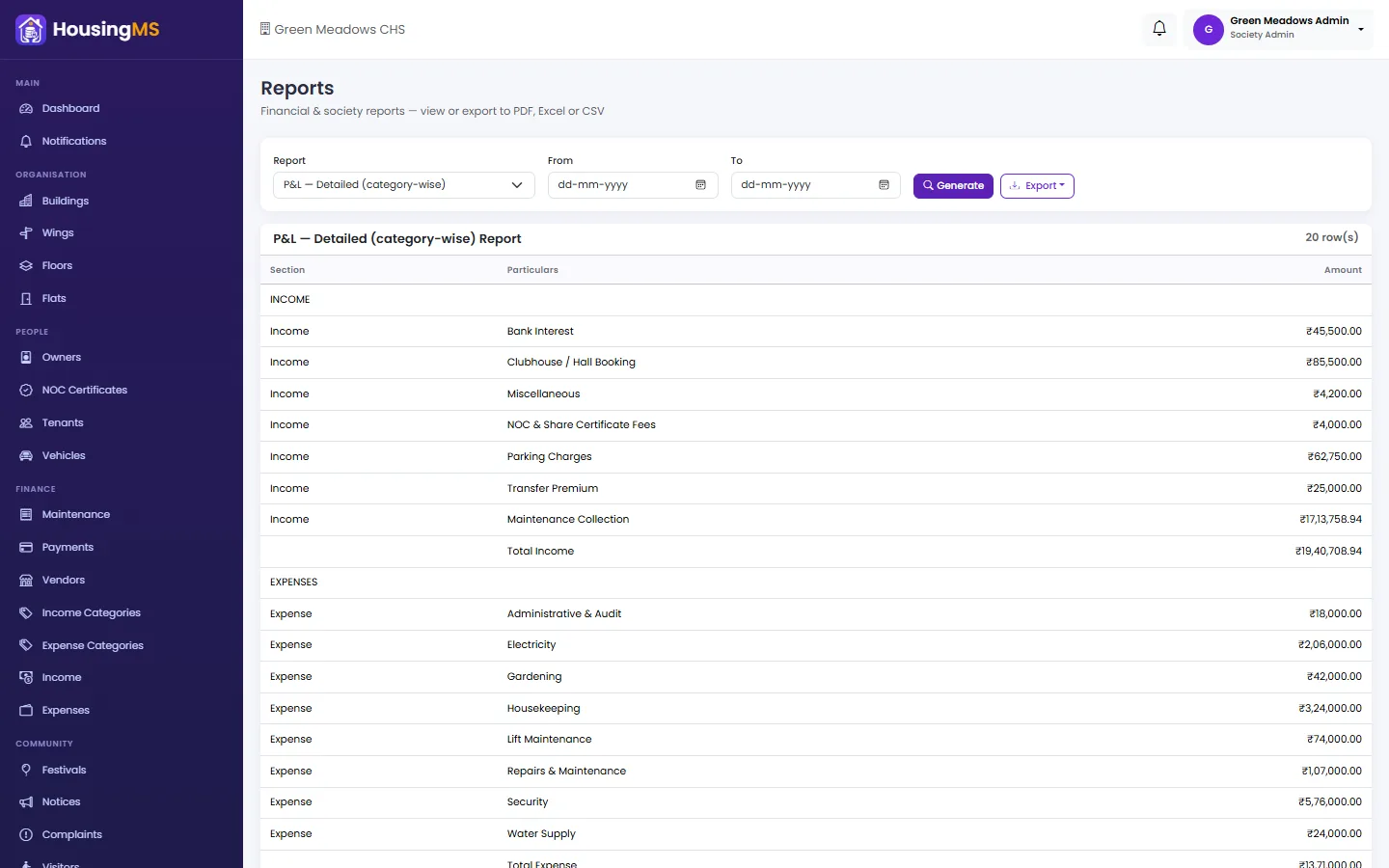
When the year ends, income and expenditure, profit and loss, balance sheet and collection reports are ready to export for your auditor — no re-typing from a register.
What you get
- Income by category: Maintenance, hall bookings, fines, interest and any category you add.
- Expense approval: Expenses are approved by the committee before they are booked.
- Bank statement import: Upload your bank statement and post entries into the books.
- Member-wise ledger: See exactly what each flat has been billed and has paid, with a running balance.
- Audit-ready reports: Income, expense, P&L, balance sheet, collections and members — exportable.
- Full audit trail: Every entry records who made it and when.
How it works
- Maintenance payments are posted to the books automatically.
- Add other income and expenses — expenses wait for committee approval.
- Import bank statements to bring in the rest.
- Run and export reports whenever the committee or auditor needs them.
Questions about accounts & reports
Which reports are included?
Income, expense, profit and loss (summary and detailed), balance sheet, member ledger, maintenance collection, owners, tenants, vehicles, parking and complaints — all exportable for your auditor.
Can we import our bank statement?
Yes. Upload the statement, review the entries and post them into the society’s income and expense books.
Who can see the society’s accounts?
Only roles you allow — for example the Treasurer, Accountant and Society Admin. Residents see only their own ledger.
Related features
Pricing: ₹22 per flat per month, billed annually (₹264 per flat per year) + 18% GST. All features included, 10 free set-up days. Register and pay online.